
Getting started · Beginner-friendly
How to Invite a Landlord to PropLog
Landlords get read-only access to a property's maintenance history — no ability to manage tenants, jobs, or the property itself. You set it up from the property's own page.
Last updated 13 August 2026
Open the property, then click "Set Owner"
Landlord access is set per property, not from a central list. Open the property you want them to see, scroll to Owner / Landlord, and click Set Owner.
If you started from the Landlords page instead, its "Invite landlord via property" button just sends you to Properties to pick one — the actual form lives on the property page either way.

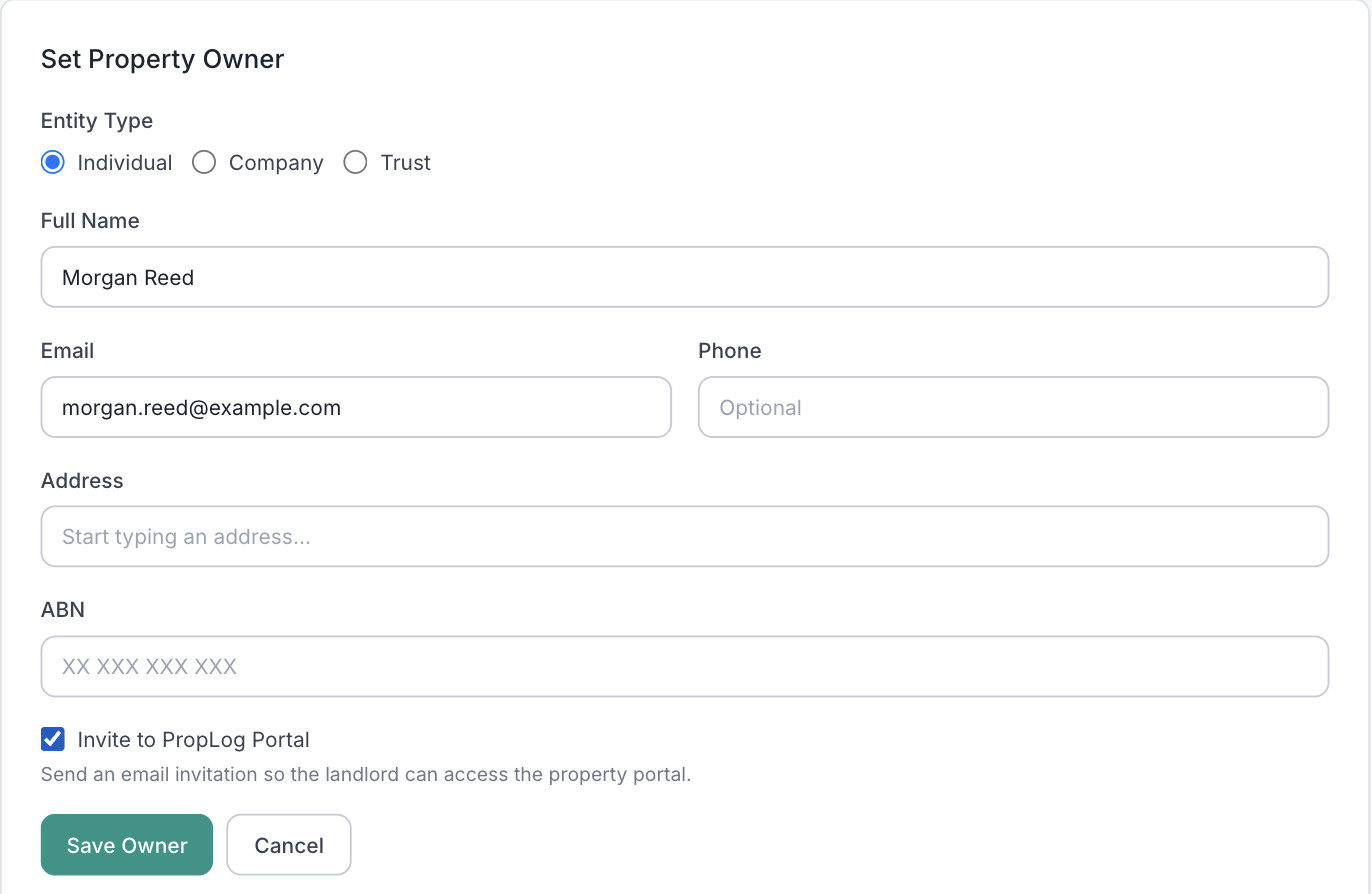
Enter their details and tick "Invite to PropLog Portal"
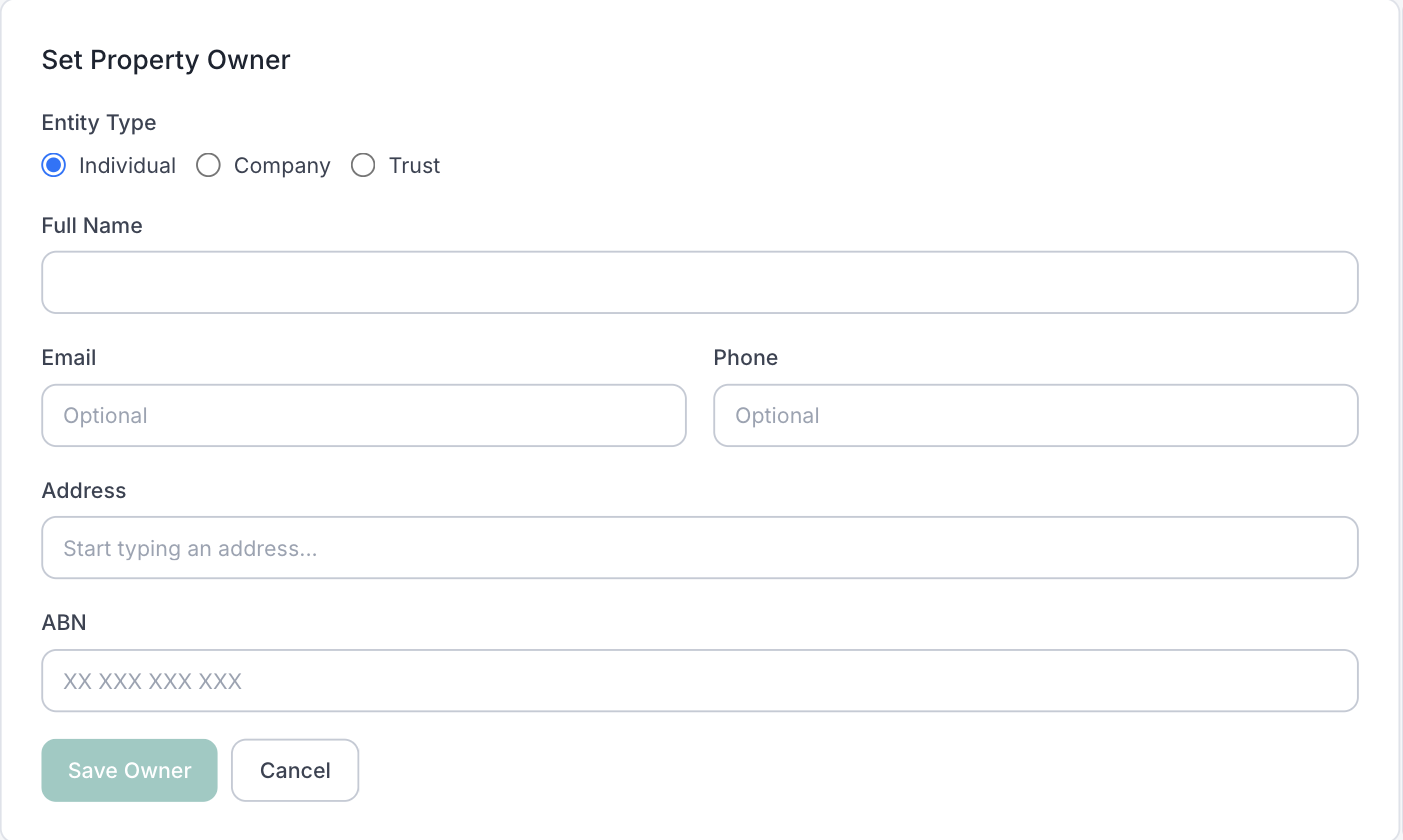
Name is the only required field — pick Individual, Company, or Trust first, since it changes what the name field is asking for. Everything else (email, phone, address, ABN) is optional record-keeping — but if you want this person to actually log in and view the property, you need an email and the Invite to PropLog Portal checkbox ticked.
Click "Save Owner" — that's it
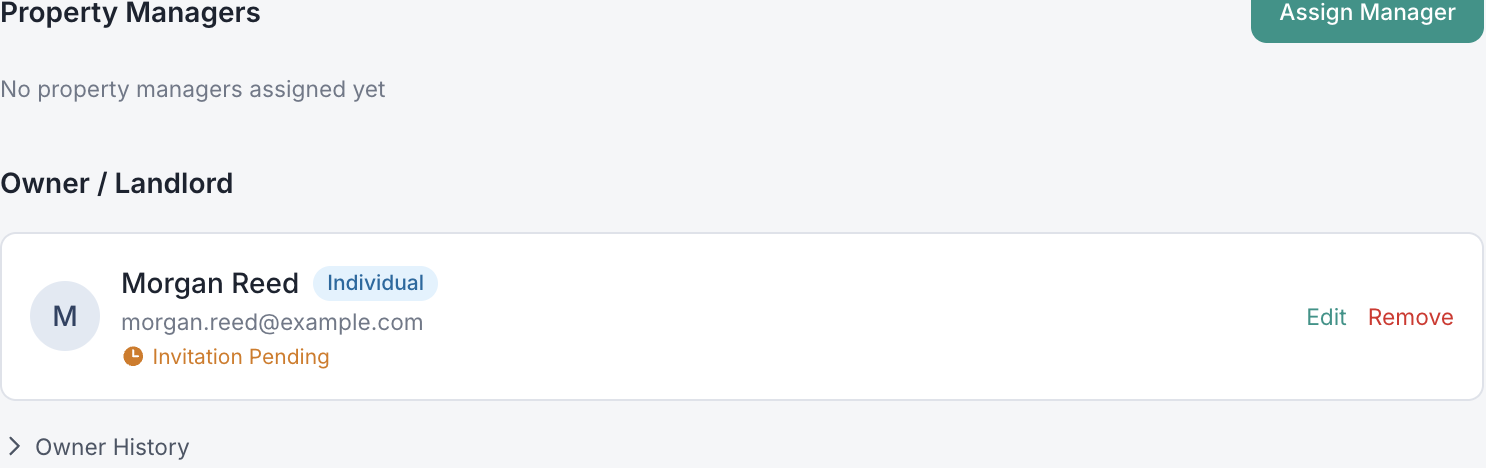
The landlord is emailed a "Property Access Invitation" straight away, with an Accept Invitation link that's valid for 7 days. Until they click it, the property card shows Invitation Pending.
A few things worth knowing:
- They won't show on the Landlords page until they accept. A fresh invite only appears on the property's own Owner card — check there for "Invitation Pending" if you can't find them on the main Landlords list.
- One property per invite. To give the same landlord access to more than one property, repeat Set Owner on each one — PropLog links them all to the one account.
- Already have portal access? The checkbox is replaced with a green "Portal Access Active" badge — no need to invite them again.
- The phone number is just contact info. Unlike inviting a tenant or tradesperson, adding a phone here doesn't send anything via WhatsApp — email is the only invite channel for landlords.
- Once they're in, landlords see a read-only maintenance history and can approve quotes when needed — plus a "My Tradies" view of who's worked on their properties.