
Getting started · Beginner-friendly
How to Invite Other Agents to Your Organisation
Bringing a colleague onto PropLog takes an email address and a couple of clicks — and you choose exactly how much access they get.
Last updated 13 August 2026
Quick check before you start
Only Admins can invite new members — if you don't see an "Invite Member" button, ask another Admin in your organisation to send the invite, or to make you one first.
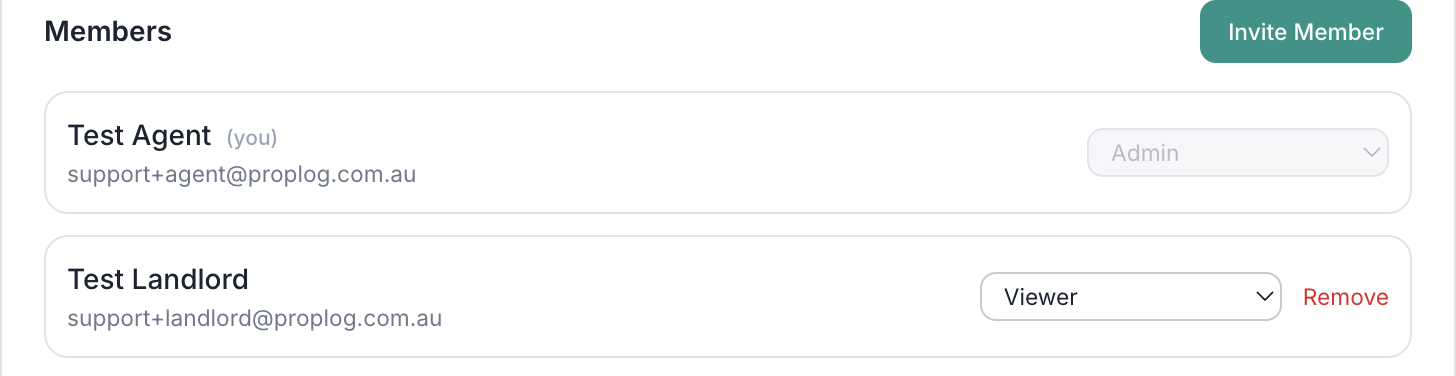
Open Members, then click "Invite Member"
Click your name in the top right, then Organisation or Members. Scroll to the Members card and click Invite Member.
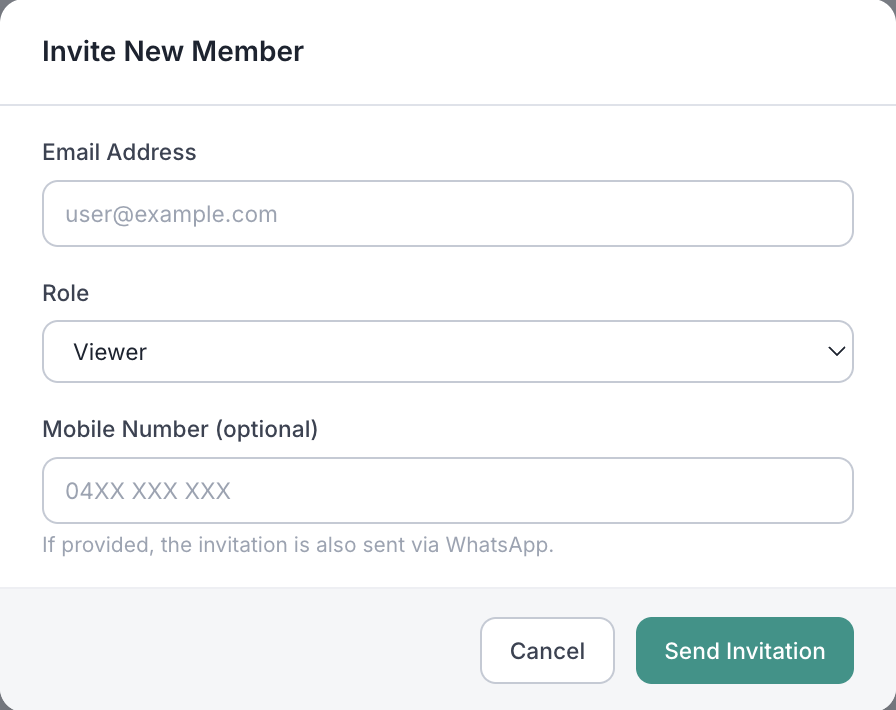
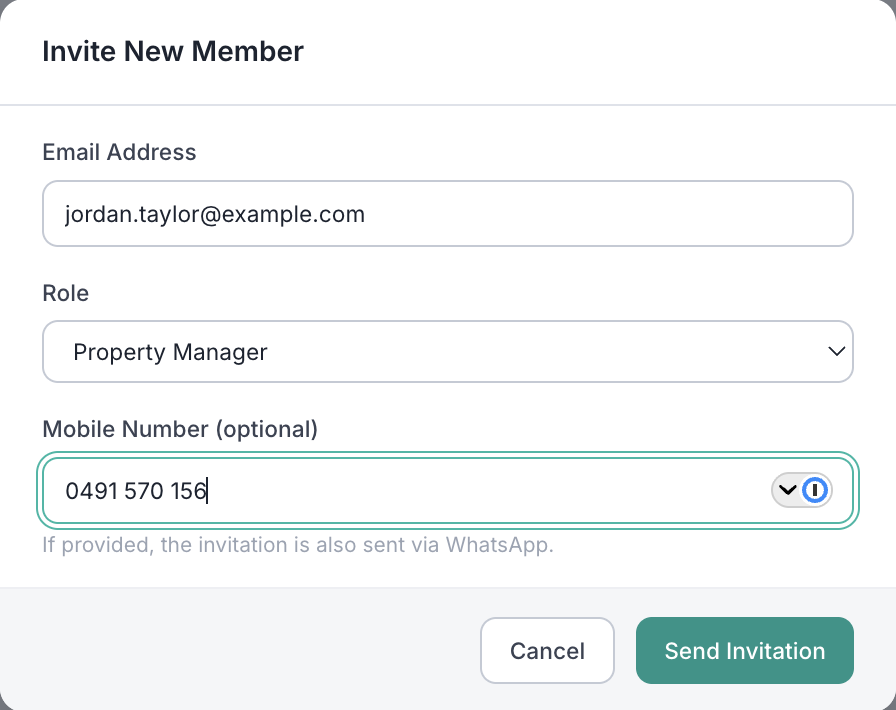
Enter their email, pick a role, and send it
Their email address and a role are all you need. Adding a mobile number is optional — if you include one, they'll get the invitation on WhatsApp as well as by email.
Choosing the right role
Pick whichever matches how much this person should be able to do:
Admin
Full administrative access to the organisation — including inviting and removing other members.
Property Manager
Manages maintenance issues, jobs, and tradespersons for your agency's properties — the day-to-day role for most teammates.
Viewer
Read-only access to maintenance history, photos, and job status — nothing to manage. Good for bookkeepers or head office.
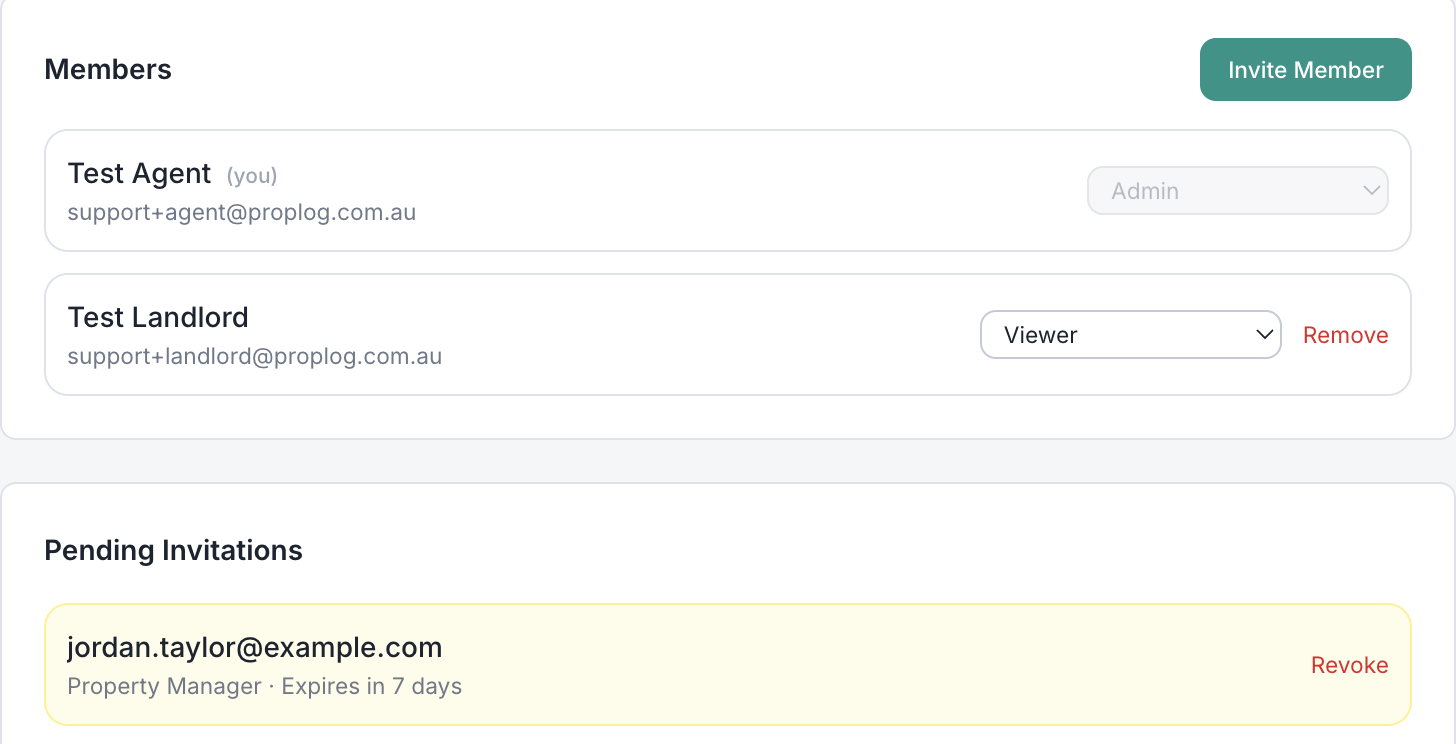
They show up as pending until they accept
Until they click through, they'll sit under Pending Invitations — where you can revoke the invite any time. Once they accept (setting a password if they're new to PropLog, or just logging in if they already have an account), they move into your Members list with the role you chose.
A few things worth knowing:
- Invitations expire after 7 days. If one lapses, just revoke it and send a fresh one.
- Admin and Property Manager seats count toward your plan. Viewers don't — so read-only teammates never eat into your agent limit.
- You can change anyone's role later from the same Members card — no need to remove and re-invite them.
- Sent the wrong invite? Revoke it from Pending Invitations before they accept, and send a corrected one.