
Getting started · Beginner-friendly
How to Invite a Tradesperson to PropLog
Tradespeople join PropLog the same way tenants do — over WhatsApp, with nothing to download and nothing to install. You just need their mobile number.
Last updated 12 August 2026
Open Tradespersons, then click "Invite via WhatsApp"
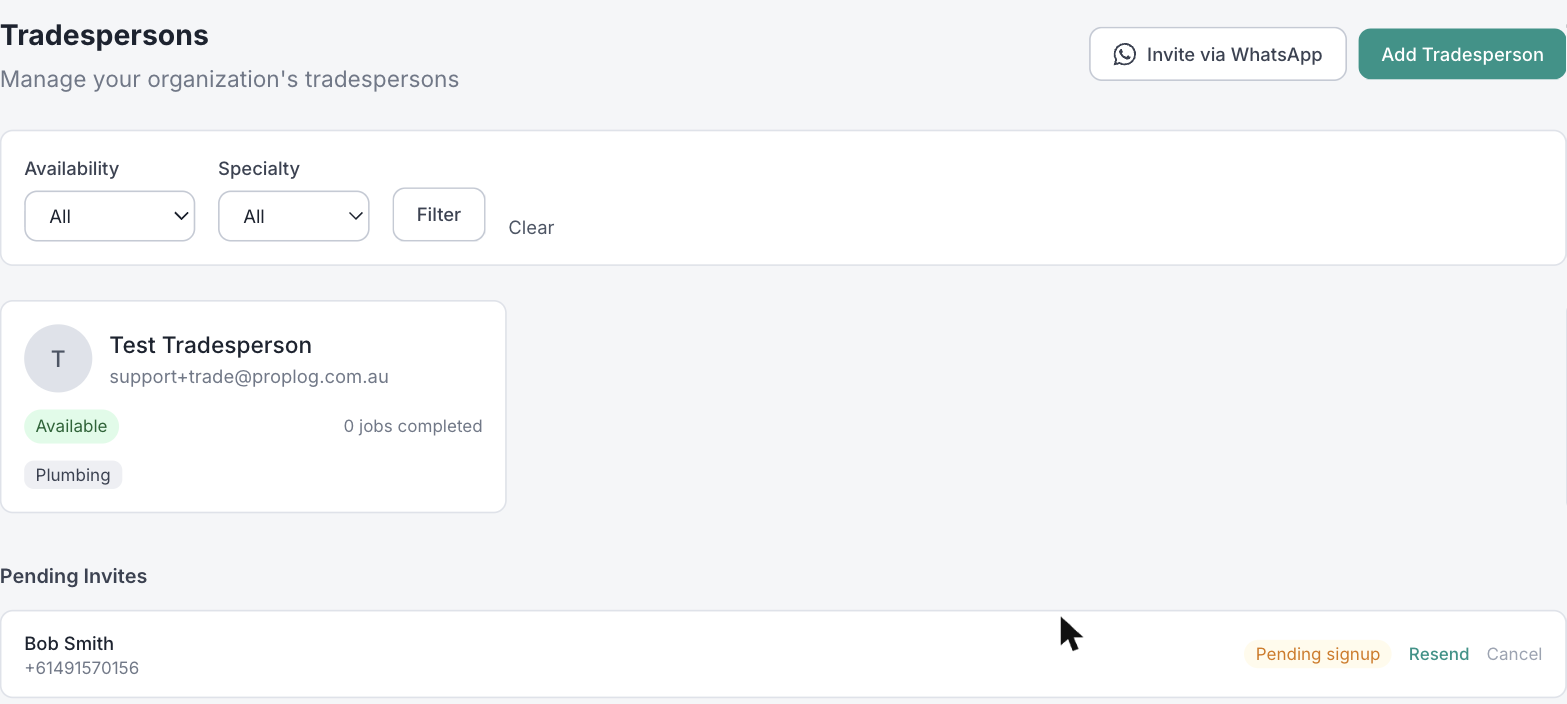
Go to Tradespersons in the top menu and click the Invite via WhatsApp button. This is the fastest way to bring someone on — if you'd rather build out a full profile with an ABN and specialties yourself, the Add Tradesperson button next to it does that instead.

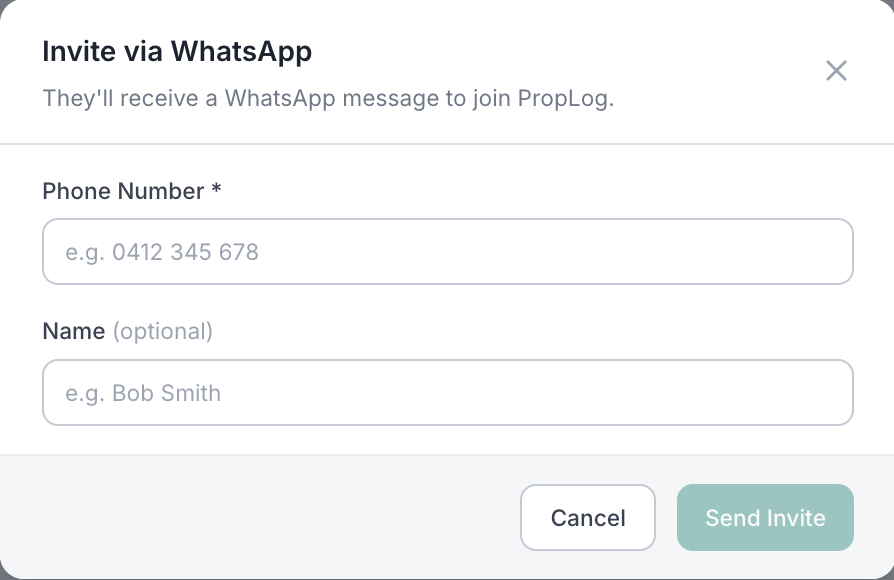
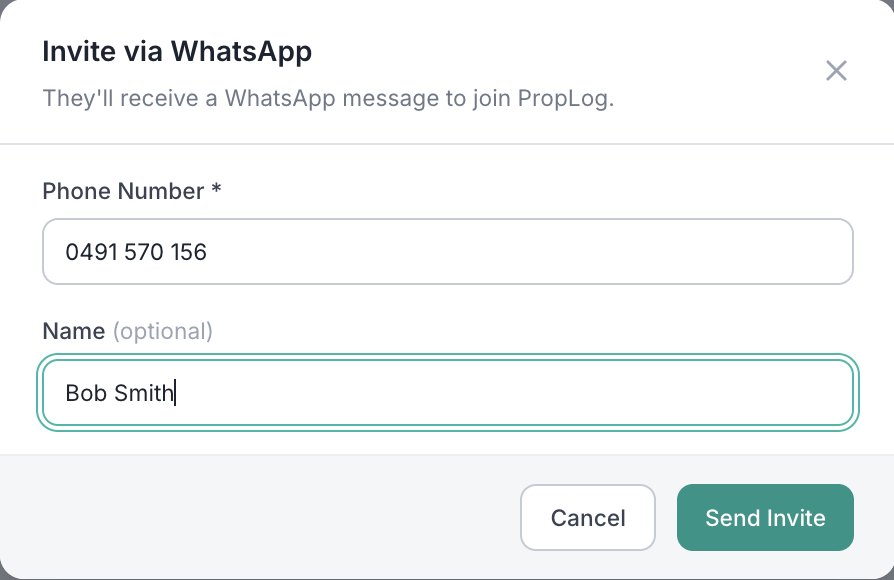
Enter their mobile number and click "Send Invite"
Their phone number is the only thing you need — a name is a nice touch but optional. PropLog uses the number to send them a WhatsApp message right away.
They register themselves on WhatsApp
The tradesperson gets a WhatsApp message straight away. They tap to continue, then answer two quick questions — their name and what trade they do. That's the whole thing.

Continue on WhatsApp
Welcome to PropLog. Please enter your full name:
Bob Smith
What trade do you do? (e.g. Plumber, Electrician, Builder)
Plumber
You're notified the moment they join
Until they register, they'll show under Pending Invites on the Tradespersons page — where you can resend or cancel the invite any time. As soon as they finish registering, you'll get a WhatsApp and email notification, and they'll move into your main tradesperson list, ready to be assigned a job.
A few things worth knowing:
- Already on PropLog somewhere else? If that number is already registered with another agency, they're linked to yours instantly — no invite needed, no second registration.
- Invites expire after 30 days. Use Resend from the Pending Invites list if they haven't gotten to it yet.
- There's a limit of 10 invites per day per organisation, to keep the WhatsApp channel from being misused.
- Need an ABN on file, or specialties tagged? Use Add Tradesperson instead — it builds a full profile in one go, without sending a WhatsApp invite.